Home Blog GBL Calendar MoveDex IV Calculator
A tool for trainers, by a trainer

Pokémon GO PvP Team Builder
The Pokémon GO PvP team builder that builds competitive Great League & Ultra League teams from your own collection. Check rank 1 IVs and simulate matchups — free on iOS & Android.

BattleFlow app icon

More battling, less building.

Building a competitive team is a time-consuming process. BattleFlow looks at the Pokémon you already have and gives you ready-to-use, high-quality teams instantly—anytime, anywhere, even offline.

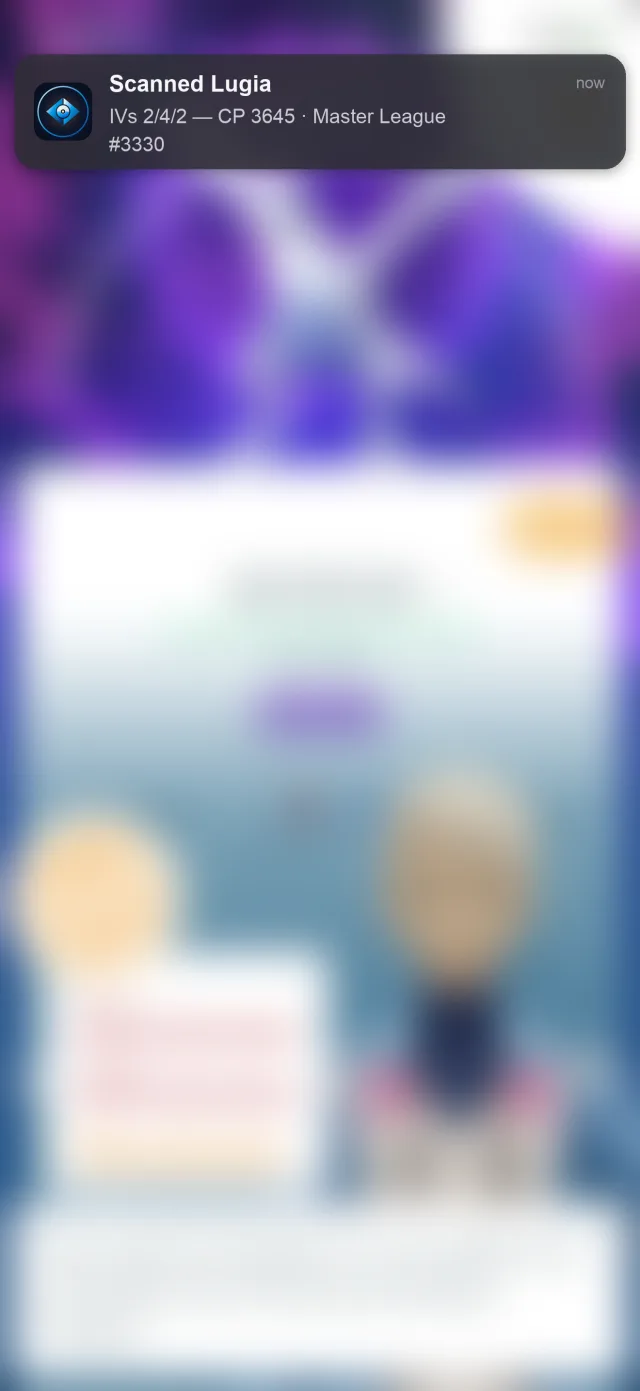
Scan for an instant IV check

Scan a Pokémon and BattleFlow reads its IVs, CP, and best league in seconds — no manual appraisal, no stat-by-stat guesswork.

BattleFlow instant IV scan notification reading a Pokémon’s IVs, CP, and best league

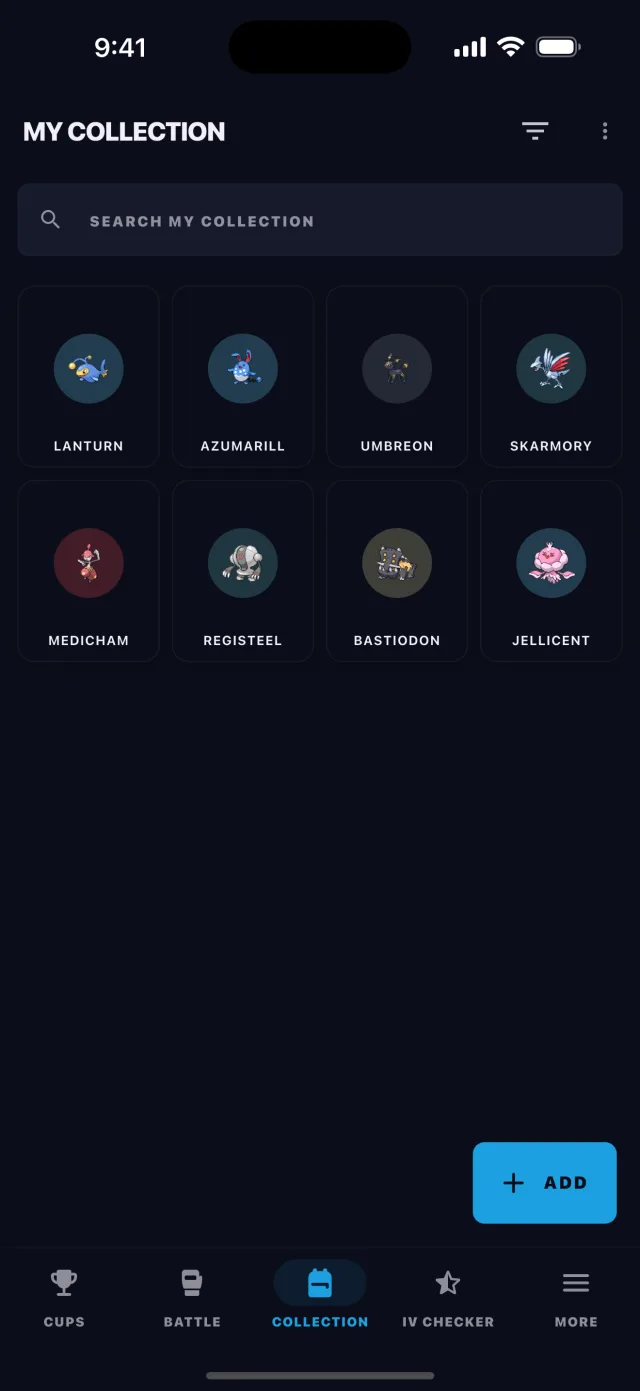
Manage your Pokémon collection

Keep your Pokémon in BattleFlow — browse them in a grid, filter and sort, and get a best-league suggestion for each one. It's the box every team is built from.

BattleFlow Pokémon collection screen showing a grid of the trainer’s stored Pokémon

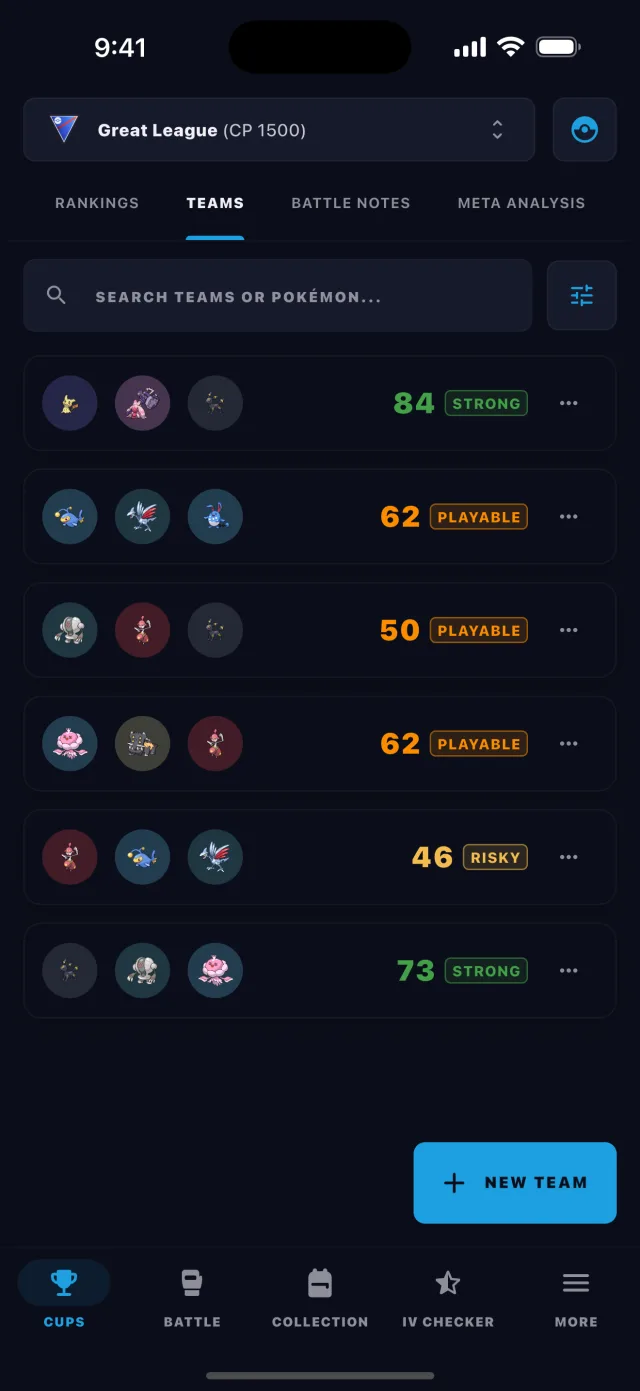
Build teams from your own Pokémon

BattleFlow looks at your personal box and generates solid compositions. You don’t need to manually check what’s viable against your inventory; the app processes the complexity for you.

BattleFlow team score details rating a Pokémon GO PvP team on threat control, coverage, recovery, and consistency

Simulate any matchup

Verify battle outcomes instantly without the trial-and-error of GBL. Master every scenario with turn-by-turn timelines and custom energy or shield settings.
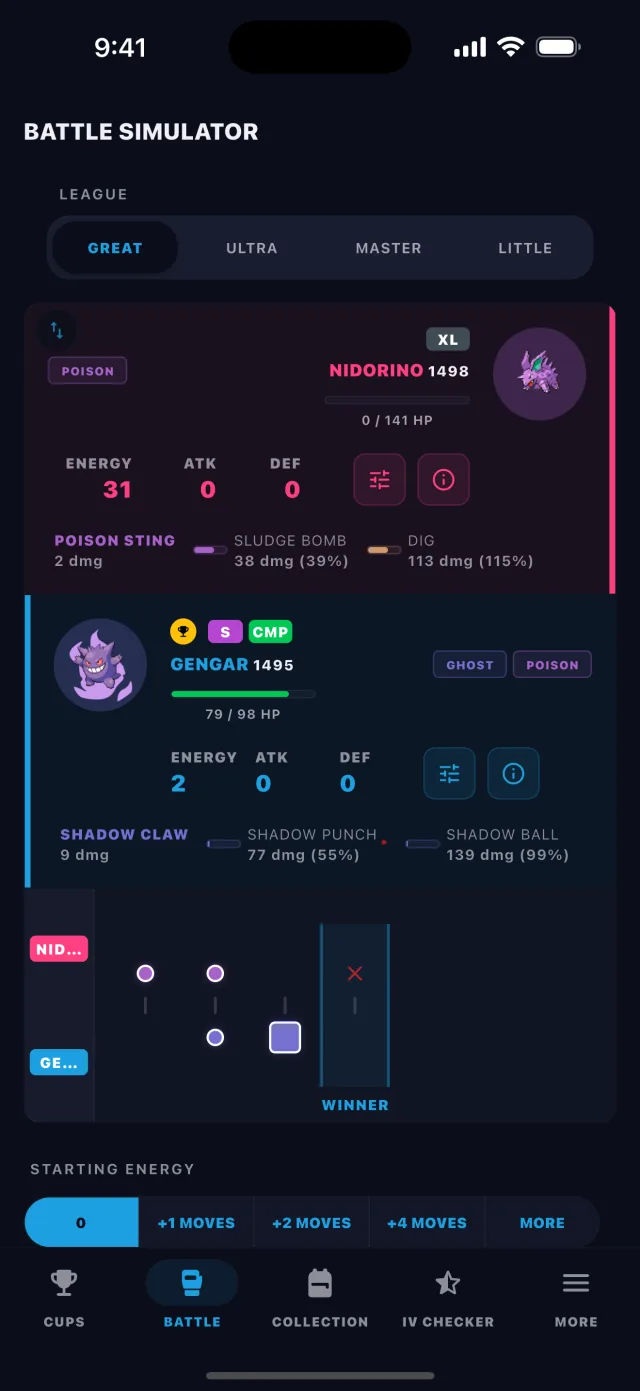
BattleFlow battle simulator showing a turn-by-turn Pokémon GO PvP matchup result

Drill matchups & move counts

Flashcards turn energy math into muscle memory — quiz yourself on move counts and key matchups so you never miscount in a real battle.
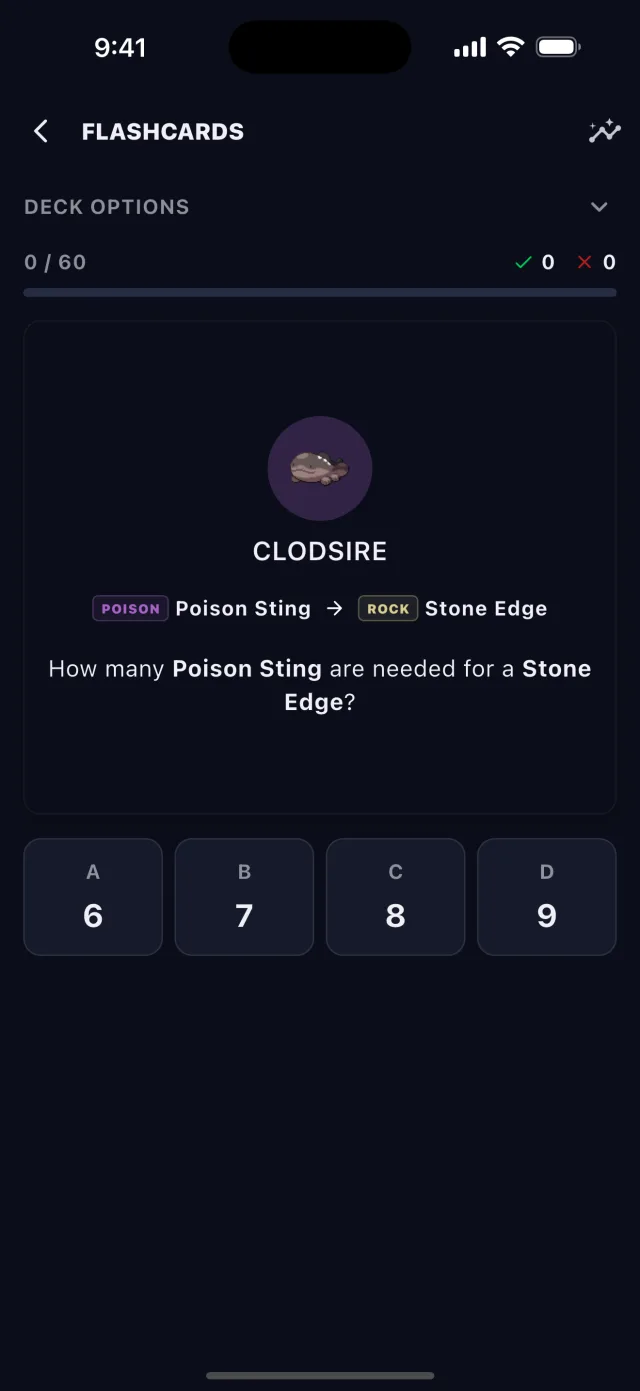
BattleFlow flashcards drilling Pokémon GO PvP matchups and move counts

Scout your local meta

Track what’s actually happening in YOUR battles. Log your GBL sets to see the most common leads, pivots, and closers at your specific rank.
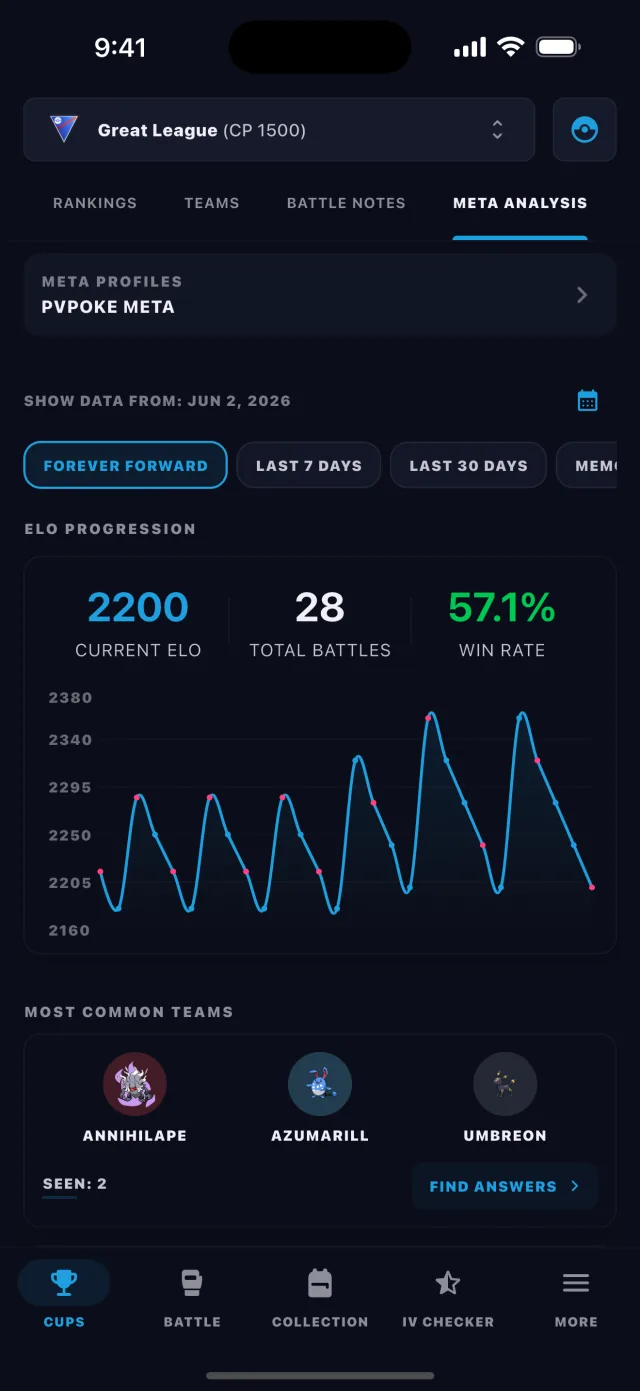
BattleFlow local meta analysis charting ELO progression and the most common teams faced in Go Battle League

The Ultimate GBL Assistant

Your Pokémon Box

Build a shortlist of your best PvP Pokémon and generate teams directly from what you actually have.

Every cup. Every league.

Rankings powered by PvPoke. Support for all GBL formats, from Open Leagues to themed cups like Remix, Fossil, and Halloween.

Share your teams

Export your favorite squads as clean team cards to share with your local community or Discord.

Your language, your game

Available in 11 languages with full Pokémon name and move translations.

Frequently Asked Questions

What is BattleFlow?
BattleFlow is a free Pokémon GO PvP companion app for iOS and Android. It builds optimized teams from your own Pokémon collection, simulates matchups, tracks your battle meta, and helps you improve at Go Battle League.
How does the team builder work?
Add your Pokémon to your in-app box, select a league or cup, and BattleFlow generates ready-to-use team compositions based on what you actually own. It evaluates coverage, threats, and synergy automatically.
Is BattleFlow free?
Yes, BattleFlow is completely free to download and use on both iOS and Android. All core features including team generation, matchup simulation, and battle logging are available at no cost.
What leagues does BattleFlow support?
BattleFlow supports all Go Battle League formats including Great League, Ultra League, Master League, and every rotating cup like Remix, Fossil, and Halloween. Rankings are powered by PvPoke.
Does BattleFlow work offline?
Yes. Team generation, matchup simulation, and IV checking all work fully offline. You can build and analyze teams anywhere without an internet connection.
How do I scan my Pokémon's IVs?
There are three ways, and all of them read the species, CP, and IVs for you with no manual typing: pick a screenshot from your gallery, use Auto scan to read appraisal screens as you play, or — on Android — tap a floating scan bubble over Pokémon GO. Set your Trainer Level once in Settings first so the CP and IV estimates are accurate.
Can BattleFlow scan automatically while I play?
Yes — that's Auto scan. On iOS you start a screen broadcast (Live capture) and BattleFlow watches for appraisal screens; on Android you switch the scanner to Auto scan. You'll be asked to allow screen recording (iOS) or screen capture (Android) the first time. Then just open Pokémon GO and view a Pokémon's appraisal — each one pops a result, no tapping needed.
What is the scan bubble on Android?
It's a floating bubble you can show over Pokémon GO. Tap it while viewing a Pokémon to scan that screen instantly, or switch it to Auto scan to read appraisals hands-free. The bubble needs the "Display over other apps" (overlay) permission, plus screen-capture consent the first time — BattleFlow prompts you for both.
Can I scan several Pokémon at once?
Yes. Batch scanning lets you select several Pokémon GO screenshots from your gallery in one pass and review all the results together, so you can check a whole box in minutes instead of one Pokémon at a time.
The scanner isn't picking anything up — what can I do?
A few things help: grant the overlay and screen-recording/capture permissions when asked; open the Pokémon's appraisal screen and pause on it for about a second, since swiping too fast doesn't give the scanner time to read; keep the CP fully visible on screen so it can read CP and best league, not just IVs; and on Android, turn off Game Mode / Game Dashboard if it's hiding the bubble or its notifications. If the CP or IVs still look off, check your Trainer Level in Settings, and you can always correct a misread species or form on the scan result before saving.

Ready to focus on the battle?

BattleFlow handles the strategy, the simulations, and the meta-analysis—so you can focus on the battle.