Scan it, track it, clear it out

Scan Your Pokémon GO Collection Scan it, sort it, and know what to build

BattleFlow reads species, CP and IVs off the appraisal screen. Scan while you play, import screenshots you already took, or add one by hand.
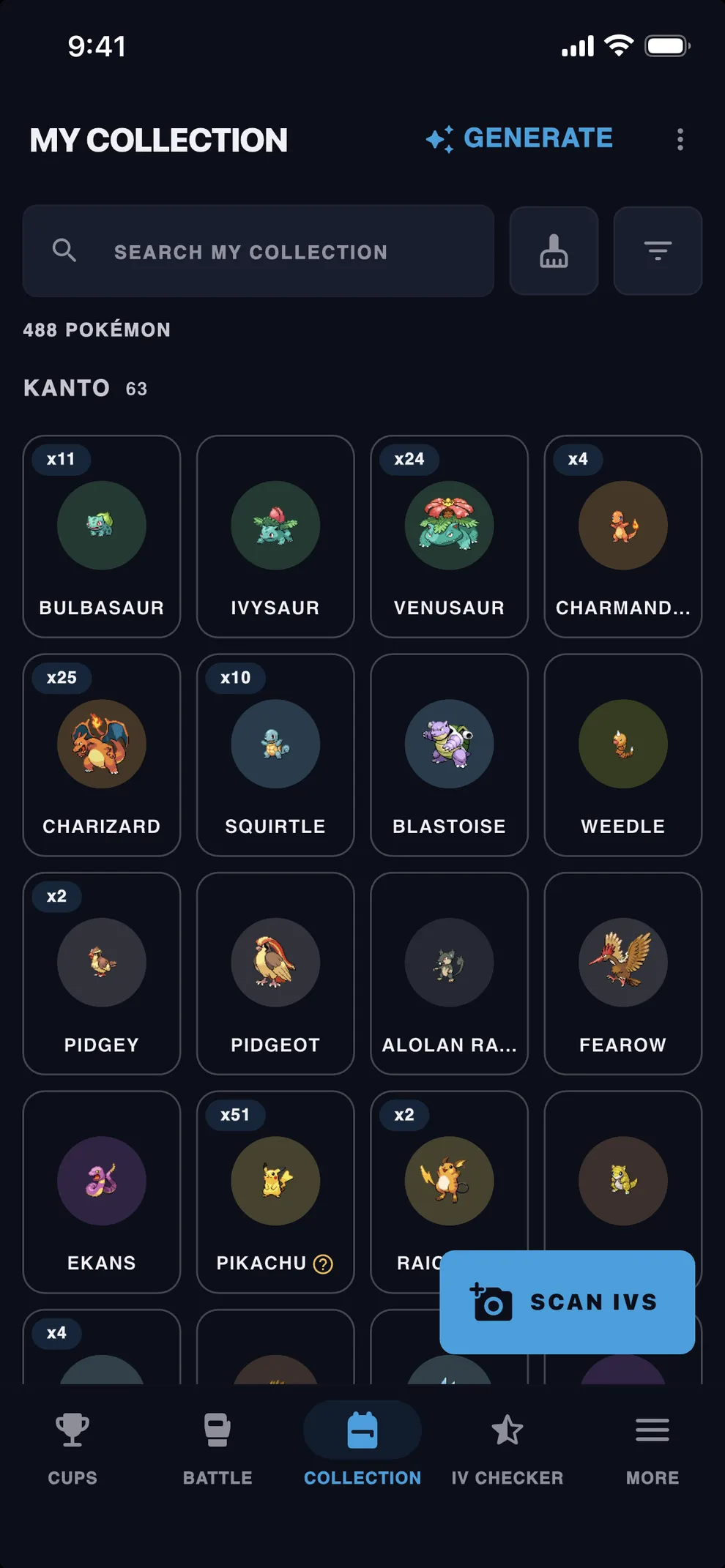
The BattleFlow Collection showing saved Pokémon in a grid with IV ranks

Scan modes

01

Live scan

Start a session and keep playing. Appraisal screens are read and saved as you go.

iPhone and Android

02

Tap to scan

A floating bubble over Pokémon GO. Tap it to scan the Pokémon on screen and check the read before it saves.

Android

03

Gallery import

Pick as many appraisal screenshots as you like at once. They are all scanned, and anything unreadable is listed.

iPhone and Android

How to scan?

One scan reads one appraisal screen.

  1. 1

    Open its appraisal

    In Pokémon GO, appraise the Pokémon so its IV bars are on screen.

  2. 2

    BattleFlow detects the appraisal screen

    Species, CP and IVs are read on your device.

  3. 3

    It lands in your box

    Saved with its IV rank and a best-league suggestion.

You can track

  • Shadow
  • Purified
  • Lucky
  • Shiny
  • Best Buddy
  • Favorite
  • Dynamax and Gigantamax
  • Mega level
  • Costume and form
  • Location Background

Scored for every league

Every Pokémon is scored on stat product in Great, Ultra, Master and Little — and so is the rest of its family, so a caught Chikorita can show Meganium at 99% in Great. Best use names the league it scores highest in.

Browse and sort your box

Grid or list, grouped by species or flat. Sort by CP, IV percentage, PvP score, Pokédex number or most recent, and filter on any mark.

Build a team from your Collection

Collection FAQ

Can BattleFlow scan my whole Pokémon storage at once?

No. BattleFlow reads one appraisal screen at a time, so each Pokémon is scanned on its own — it does not read your storage in Pokémon GO. What makes it quick is that you never stop to type: live scan saves them as you appraise, and gallery import takes a pile of screenshots in one go.

Can I import screenshots I already took?

Yes. Pick as many appraisal screenshots as you like and BattleFlow scans them all, saving what it can read and listing the ones it could not so you can fix those afterwards.

Does scanning work on both iPhone and Android?

Live scan and gallery import work on both. The floating tap-to-scan bubble is Android only, because it relies on the Android overlay permission.

Is the Collection free?

Yes. Scanning, saving and cleanup are all free, and your Collection itself has no size limit.

What happens to my scans if I get a new phone?

Back up your data to a file from Settings, then restore it on the new device. The backup carries your Collection, teams, and battle logs along with the scan photos, so expect a large file. There is no account and no cloud sync, which means that file is the only copy — and restoring replaces whatever is already in the app, so it cannot be undone.

Ready to focus on the battle?